2017年12月17日 星期日

Huawei B612 LTE Router Features and Specs

Huawei offers a new wireless LTE CPE B612 with powerful LTE modem recently. The B612 CPE supports LTE Advanced Cat6 with up to 300 MBit/s in the downlink and up to 50 MBit/s in the uplink, which is similar to the predecessor Huawei E5186 and B525 technically. A special feature compared to the predecessor model is the support for 4 × 4 MIMO antenna technology. The router also offers a telephone function and connections for external LTE antennas, which are common specs for the Huawei LTE routers. Here now in some countries, the Huawei B612 LTE CPE is already available.  


Huawei B612: design and comparison


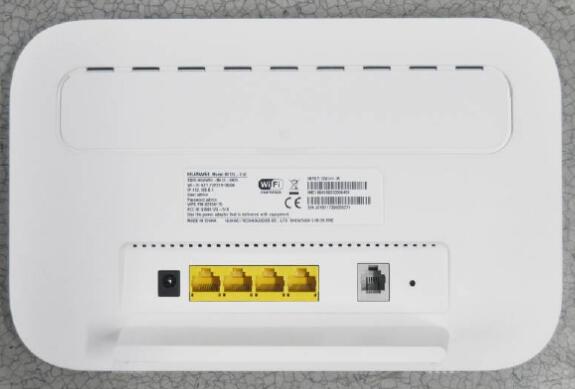
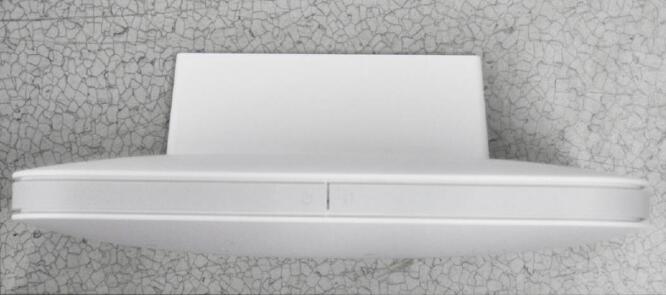
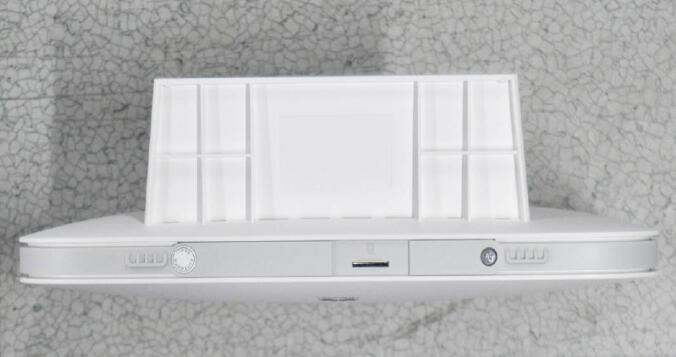
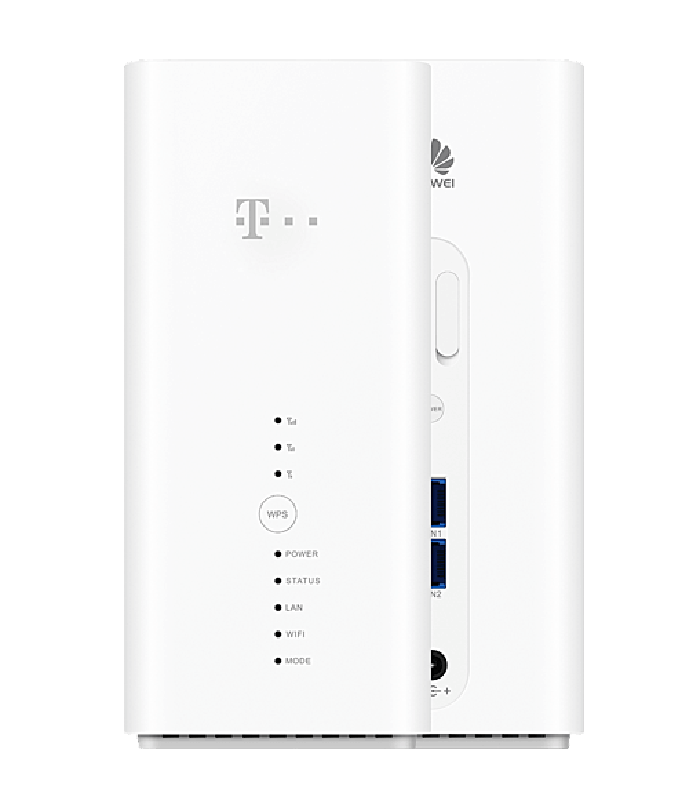
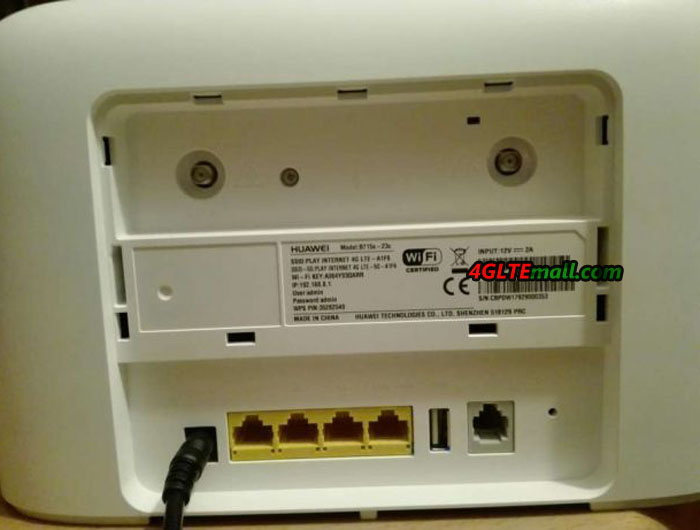
The Huawei B612 looks like a classic router, there is no special design or visual highlights. The case is held in matt white plastic. On the front several LEDs show the operating status, on the back you will find the connections.  


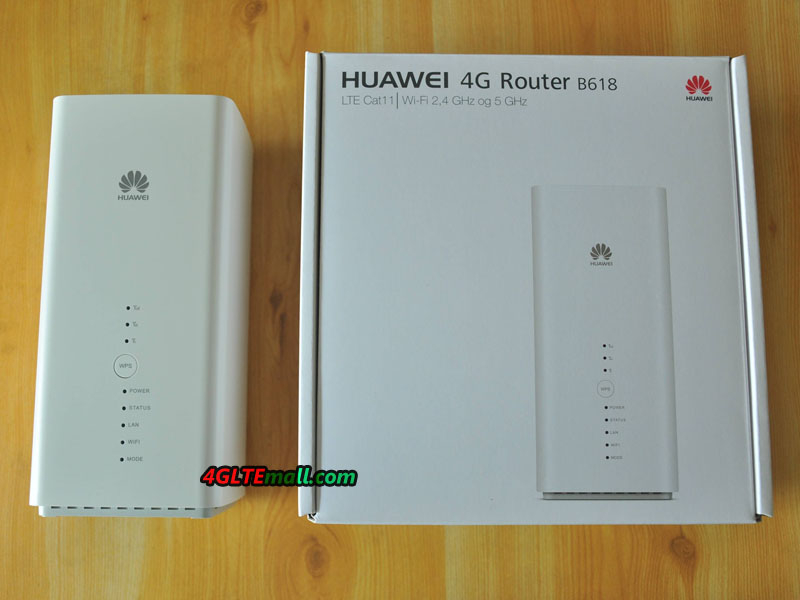
But where can you roughly classify the Huawei B612 compared to other Huawei LTE router models? One thing is clear: the Huawei B618 with 600 MBit/s and 4 × 4 MIMO antenna technology has a much more powerful modem, but puts the focus much more on the body design and has fewer connections. The Huawei B715 LTE router can also use much higher speeds than the B612 at 450 MBit/s, but does not use 4 × 4 MIMO antenna technology. The B715 also has the most connections in the comparison with B612 and B618.


Huawei B612: Specifications

As we know, Huawei had presented two sub-models for Huawei B612. We suppose there will be more models available in near future, just like the Huawei B593 LTE CPE. The Huawei B612 offers a LTE Cat6 modem for up to 300 MBit/s in the downlink. In addition to 4 × 4 MIMO antenna technology, 2CC CA (dual channel bundling) is also supported. In addition to FDD LTE, TDD LTE is supported, so the router is very universal. The following LTE frequency bands are supported in detail as below:  


Huawei B612s-25d support:

* LTE: B1/B3/B7/B8/B20/B38/B40/B41(2545~2655MHz)/B42/B43

* DC-HSPA+/HSPA+/HSPA/WCDMA: B1/B8

* EDGE/GPRS/GSM: B2/B3/B5/B8

* 4*4 MIMO:B3/B7/B20/B38/B40/B41/B42/B43  


Huawei B612s-51d support:

* LTE: B2/B4/B5/B7/B41(2545~2655MHz)

* DC-HSPA+/HSPA+/HSPA/WCDMA: B1/B2/B5

* EDGE/GPRS/GSM: B2/B3/B5/B8


The WLAN module of the Huawei B612 operates both in the frequency range around 2.4 GHz and 5 GHz and supports the 802.11ac standard. For connection to computer and game console, there are also four RJ45 Ethernet LAN ports on the back of the router. If you want, you can also use one of the four LAN ports as a WAN connection, ie an external modem can be connected there. The internal mobile modem is then disabled and you can use the router as a normal wireless access point.  


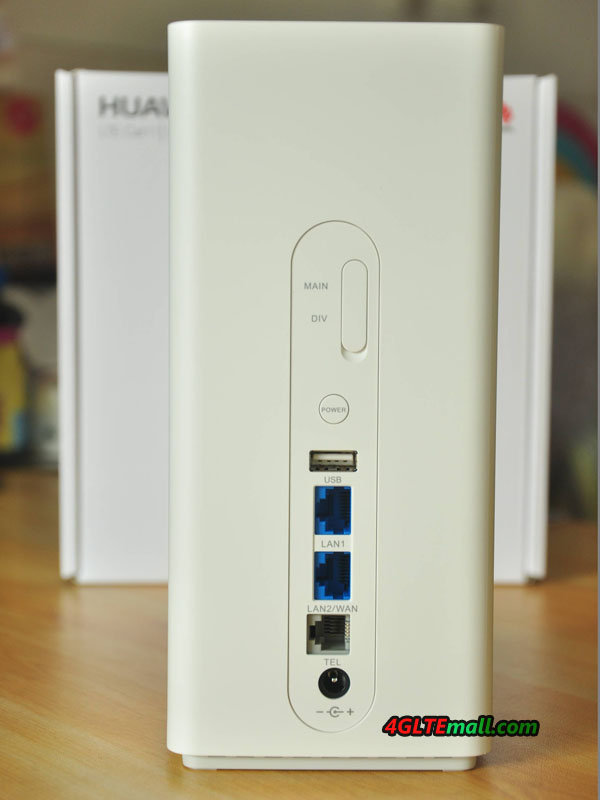
On the back you will find other connections besides the RJ45 LAN ports. On the one hand, there is the RJ11 connection for an analogue telephone, because the B612 supports telephone connections. On the other hand there are two SMA connections for an external LTE MIMO antenna, the connections are well protected under a cover.


Huawei B612: availability

Here now the Huawei B612 is only available for few network provider in Poland and Chile, and the online retailers don’t have this new LTE CPE available. We suppose it would be available soon around the beginning of 2018, just like the predecessor huawei LTE router. We will take further test on this router once we get it. And we would also inform the availability if we have news from 4gltemall.com.  

2017年12月13日 星期三

Telekom Speedbox LTE IV Router Test

Telekom has introduced a new LTE router- Speedbox LTE IV to its product range. The Speedbox LTE IV is the successor of the Speedbox LTE III, which was offered since January 2015 and left a good impression on the users. Compared to its predecessor, the Telekom Speedbox LTE IV offers twice as high speeds (LTE Cat11 with up to 600 MBit/s), as well as a sleek new design. Manufacturer of the device is the Chinese company Huawei, and the router is a slightly modified Huawei B618s-22d.  


Connections and design

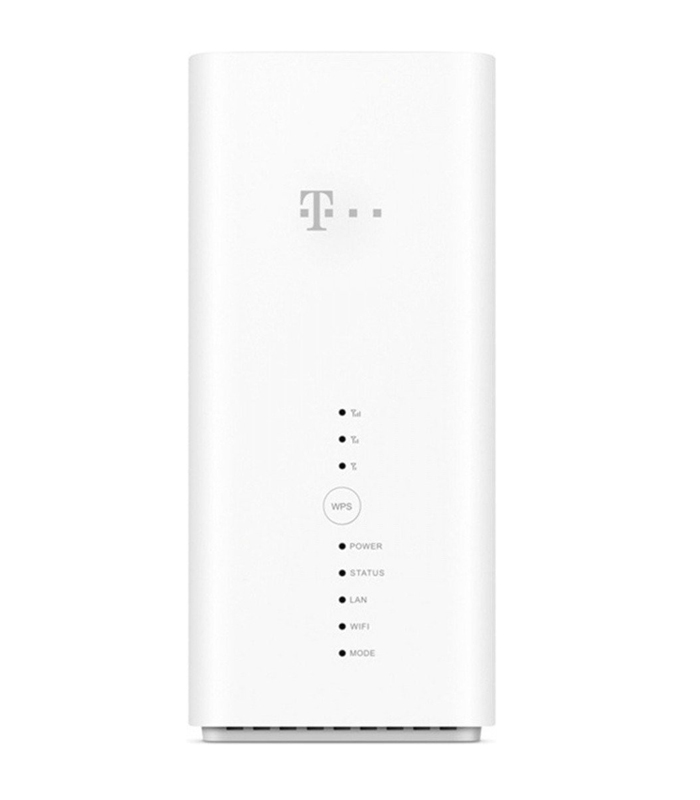
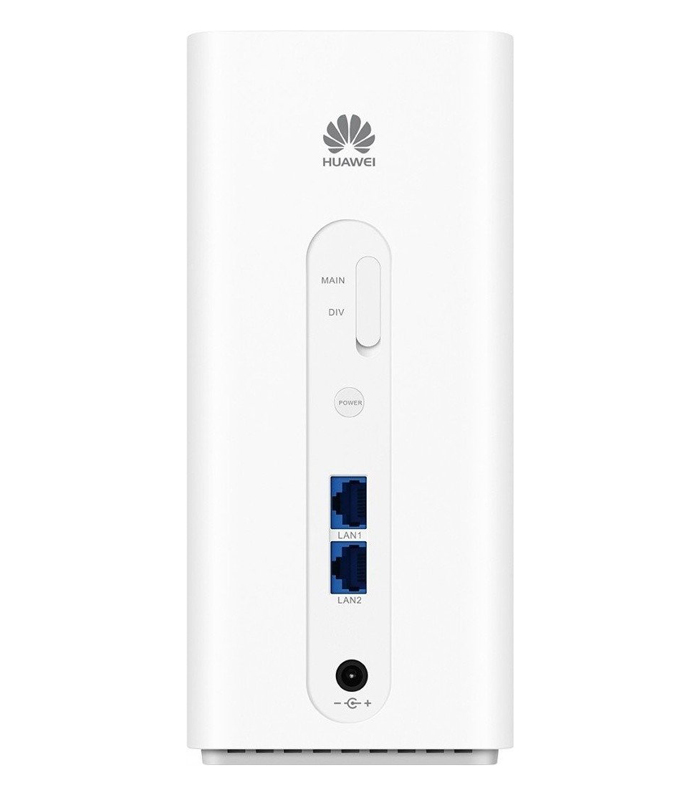
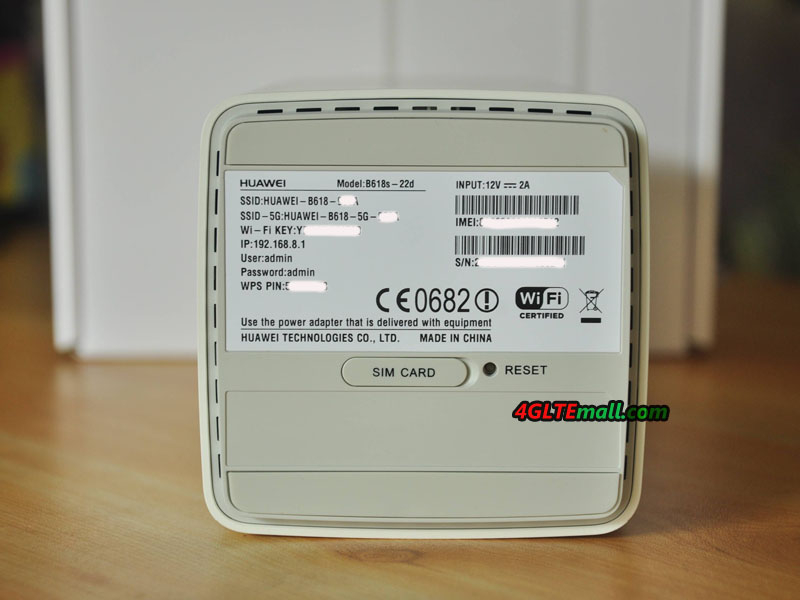
The Telekom Speedbox LTE IV is visually certainly one of the most beautiful LTE routers that are currently available. The matt white cuboids also looks good on a dresser, unlike many other routers, the device does not need to hide. Various LEDs on the front indicate the operating status as well as the reception, a WPS button ensures fast WLAN connections without tedious password entry. The MicroSIM card is used on the underside of the Telekom Speedbox LTE IV; there is also a label with serial number and Wi-Fi password attached.     The power supply, LAN cable and external antenna connectors are located on the back panel. In detail, we can find here 2x RJ45 Gigabit Ethernet and two TS-9 connections under a cover. But unlike the original Huawei B618s-22d router, there is no USB or an RJ11 telephone connection in the Speedbox LTE IV. And it doesn’t have built-in battery, which feature is available on another similar router Huawei B529s-23a. The Speedbox LTE IV must get external power supply and work.  


Telekom Speedbox LTE (Huawei B618s-22d) hightlight features:
LTE Category 11, down to 600 Mbps, up to 50 Mbps
LTE frequency bands FDD LTE Band 1/3/7/8/20 (800/900/1800/2100/2600 MHz)
UMTS DC-HSPA+, up to 42.2 Mbit/s downlink, up to 5.76 Mbit/s uplink
UMTS frequency bands 900/2100 MHz
GSM Including EDGE
GSM frequency bands 850/900/1800/1900 MHz
connections 2x Gigabit LAN, 2x TS-9 for external antenna
WIRELESS INTERNET ACCESS WLAN 802.11a/b/g/n/ac, up to 867 Mbps
Others LAN port can also be used as WAN port. Operation via browser and via app possible.


LTE speed in practice

Even though the LTE modem of the Telekom Speedbox LTE IV theoretically reach up to 600 MBit/s fast: in practice, only a fraction is reached in the normal case. For the highest possible speeds, not only the LTE advanced pro mobile network must be equipped accordingly, the network utilization may only be very low, which is rarely the case in modern times. Of course, the reception must of course be as optimal as possible. Much more interesting than the question of how maximum fast the router will be is the question of how the speeds are in areas with poor reception and how the device beats in comparison with the competition.


The transmission and reception performance is quite decent with the Telekom Speedbox LTE IV, but does not trigger any enthusiasm storms. If in doubt, you should connect with very poor reception an external antenna. The speeds were above average in the LTE network and in the UMTS network in comparison with a Netgear AirCard 810 hotspot , an Apple iPad Pro 9.7 and an AVM FRITZ! Box 6890 LTE. Tested in the LTE 800 and LTE 1800 network of Telekom and Vodafone, UMTS was used at 2100 MHz.    


The continuous use was easily possible in the test, the SpeedBox LTE IV ran smoothly for several days and was doing little more than lukewarm. What was noticed during the test, however: with heavier load (eg speed test) the power supply made noises, a kind of "coil whistling" was to be heard.  


WLAN at the Speedbox LTE IV


The WLAN of Telekom Speedbox LTE IV is strong enough to supply a large apartment or a small house. The range of course depends on various factors such as thickness and texture walls, but in comparison with common mobile WLAN/LTE hotspots, the range is good. The maximum speed is 867 MBit/s. The WLAN works on 2.4 GHz and 5 GHz (802.11b/g/n/ac), you can also switch off the frequency bands individually. The channel bandwidth can be set in the web interface, the highest speeds are obtained only with 80 MHz in the 5 GHz band. You can use the Wi-Fi bridge or Wi-Fi extender mode that allows you to use an existing Wi-Fi network as an Internet access. If a device is connected to the Telekom Speedbox LTE IV via LAN cable, a menu is displayed in the web interface with which the WLAN can be completely switched off.


Hidden WAN function

As already described, the Telekom Speedbox LTE IV offers two RJ45 Gigabit Ethernet interfaces on the back. These connections can be used, for example, to connect a desktop PC or game console with a LAN cable to the LTE router. If you need more than two LAN ports, you have to switch between a switch. In the test, the LAN connections worked smoothly, as expected.  


The Speedbox LTE IV has a nice feature that the "original" Huawei B618 taken: if necessary, one of the LAN ports can also be used as a WAN port, ie you can feed an existing Internet connection via LAN cable and thereby possibly save mobile data volume. It should be noted, however, that you no longer have access to the Web interface when using the WAN. Settings on the WLAN must therefore be carried out beforehand, before the WAN function is used.  


Configuration via web interface


The web interface of the Telekom Speedbox LTE can be reached in the browser via the address 192.168.8.1. On initial startup, you are prompted to change the log in password to a custom one, eliminating unauthorized access and configuration changes.   On the start page you get the most important information displayed clearly, including, for example, the amount of data consumed and the online time. Of course, the reception is also displayed, but you can also find it in any other menu at the top of a status bar. There are also tabs for "Statistics", "SMS", "Update" and "Settings". Basically, the points are self-explanatory and quite clear, only in the settings, there are many sub-points, which are worth a close look.  


In the tab "Settings" you can specify, for example, whether the router should also go abroad (roaming) to the Internet and whether the network technology (2G, 3G, 4G) should be selected automatically or if you prefer to use only LTE, for example , The configuration of the WLAN interface can also be made here: up to 4 WLAN names (SSIDs), two each at 2.4 and 5 GHz, can be assigned, of course, each with an individual password.   Some simple settings can also be made via the Huawei HiLink Smartphone App, which is available for Android and iOS in the respective App Store for download. If you just want to see the current data consumption quickly or want to read a text message, you will be fine with the app. For more detailed things, such as the choice of network technology, you still have to try the web interface, here comes the app to its limits.  


Test conclusion to the Telekom Speedbox LTE IV


In the test, the Speedbox LTE IV made a good impression: the Internet connection was stable and reliable, the modem reached high speeds and the case design is a clear advanced to its predecessor. The software is fast and easy to use and the WLAN module was convincing with up to four SSIDs and high speeds.  


However, there are also some criticisms: on the one hand Telekom has deleted the telephone interface, which is the otherwise identical to original model Huawei B618s-22d available on 4gltemall.com. On the other hand, a WiFi Extender function is missing, with which one can use an existing WLAN as Internet entrance, as it is often already standard with many mobile LTE hotspots nowadays. The third point of criticism concerns the integrated LTE modem: it supports the advanced 4 × 4 MIMO antenna technology, but "only" 2CC CA, ie dual channel bundling.  


Overall, it should be noted: apart from a few technical details, the Telekom Speedbox LTE IV is a highly recommended and future-proof LTE router. For the price with contract, there is currently no information. Considering the functions deleted by Telekom, we suggest you buy original and unlocked Huawei B618s-22d to enjoy the full functions for the LTE advanced router. The Huawei B618s-22d unlocked router is now available www.4gltemall.com. You can get it without any contract and use it with almost all the network providers’ SIM cards in Europe.  

2017年12月12日 星期二

Huawei E5788 LTE Cat.16 MiFi Released

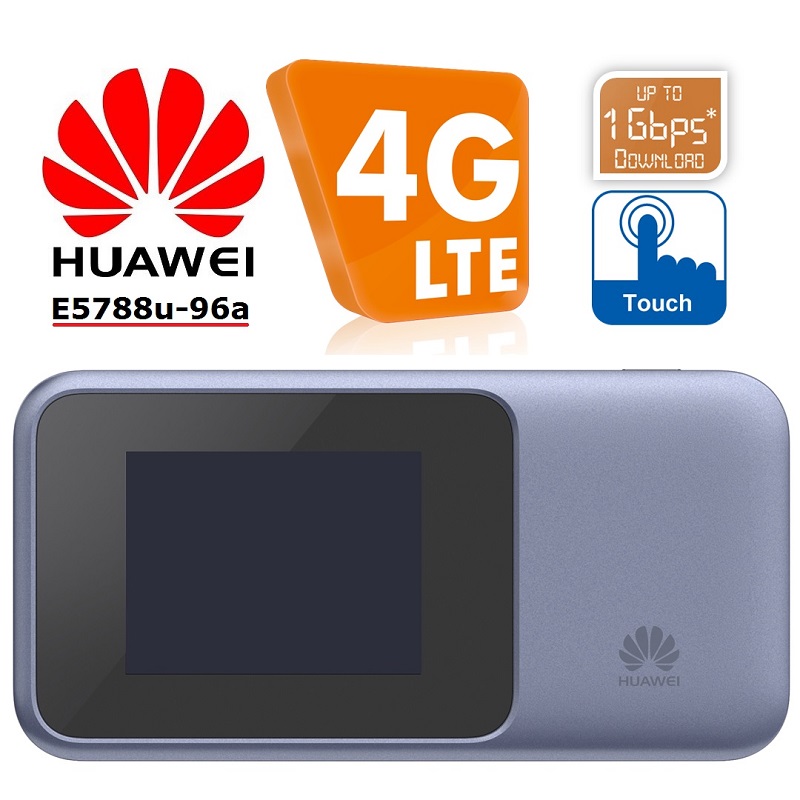
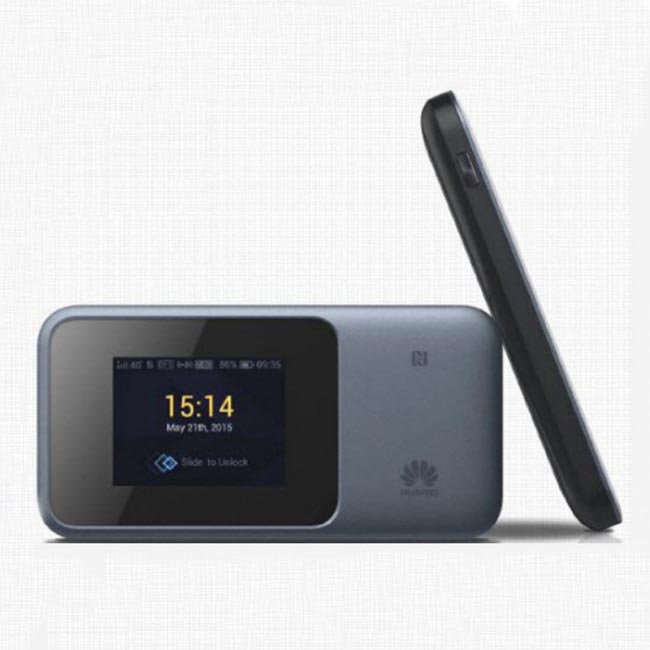
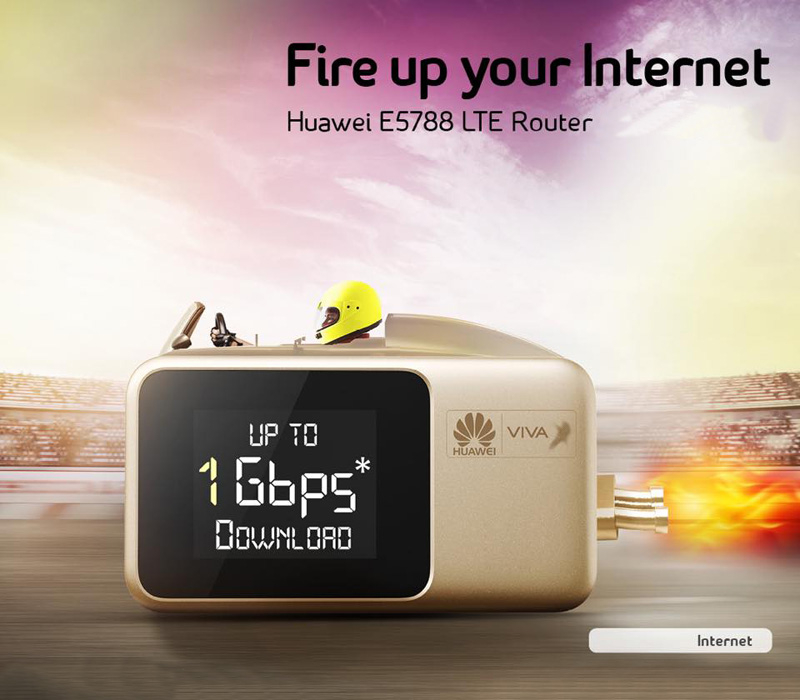
The fastest mobile LTE hotspot in Europe has long been the Netgear AC810, now Huawei has taken the lead with the new pocket WiFi E5788. The Huawei E5788 offers LTE Category 16, so speeds up to 1 gigabit per second download and up to 100 Mbps upload. In addition, the mobile Wi-Fi hotspot offers a touch screen and up to 10 hours of operation via the integrated battery.


Huawei E5788 with Gigabit LTE


The Huawei E5788 has an integrated LTE Advanced Pro Cat16 modem. To achieve speeds of up to 1 Gbit/s, the hotspot supports 4 × 4 MIMO antenna technology, 256QAM modulation and 3CC CA (triple channel bundling). The maximum possible speed depends not only on the E5788, but also on the mobile network. If the network is not equipped accordingly, the Huawei Hotspot offers lower LTE speeds. Of course, the E5788 Gigabit Hotspot is also backwards compatible with 3G/UMTS (up to 42.2 Mbps in the downlink) and GSM/2G can do the modem as well.  


Huawei E5788: WiFi extender on board

The Internet connection is transmitted either over WLAN 802.11b/g/n/ac or over USB type C to connected terminals. Over WLAN, up to 32 devices can be supplied at the same time, the Huawei E5788 spits on 2.4 GHz and optionally also on 5 GHz. An RJ45 Ethernet LAN port, as offered by the sister model Huawei E5885, is not available on the Huawei E5788.    


If required, the Internet access can be made via an existing wireless network instead of the integrated mobile modem. The feature called "WiFi Extender" is now standard on mobile Huawei LTE hotspots, including the E5788.   In addition to the USB Type C port, which can be used to charge the battery and to connect to a computer, the Huawei E5788 also offers two TS-9 ports for an external LTE antenna. The connections are hidden on the side under a cover, which should protect against contamination.  


Huawei E5788 E5788u-96a LTE Cat.16 Gigabit Mobile WiFi Hotspot


Huawei E5788: Operation via touchscreen

The Huawei E5788 has a small touch screen on the front, which makes it easy to adjust. The display shows important information about the Internet connection such as data consumption, online time and reception in the standard screen. In the first test, the touchscreen responded quickly and the operation was self-explanatory thanks to large icons. Further settings are possible via the browser web interface or the Huawei HiLink app.   The battery of the Huawei E5788 is 3,000 mAh strong and unfortunately firmly integrated in the device, so not changeable by the user. The operating time is up to 10 hours, the standby time is up to 500 hours.    


Huawei E5788: Availability

The Huawei E5788 is currently not available everywhere, but can be found via Google some online retailers, which have listed the suitable for European networks version Huawei E5788u-96a. Whether and when Huawei plans an official market launch in Europe is currently unknown. Should something new arise, this article will of course be updated.   As alternatives, for example, the Huawei E5787 (with touch screen) and the Huawei E5885 (with LAN connection) are available; however, both devices reach a maximum of 300 MBit/s with the integrated LTE Cat6 modem. If you want Gigabit LTE mobile hotspot, you have to wait for the Huawei E5788.  

2017年12月7日 星期四

Huawei B618s-22d 4G WiFi Router Review

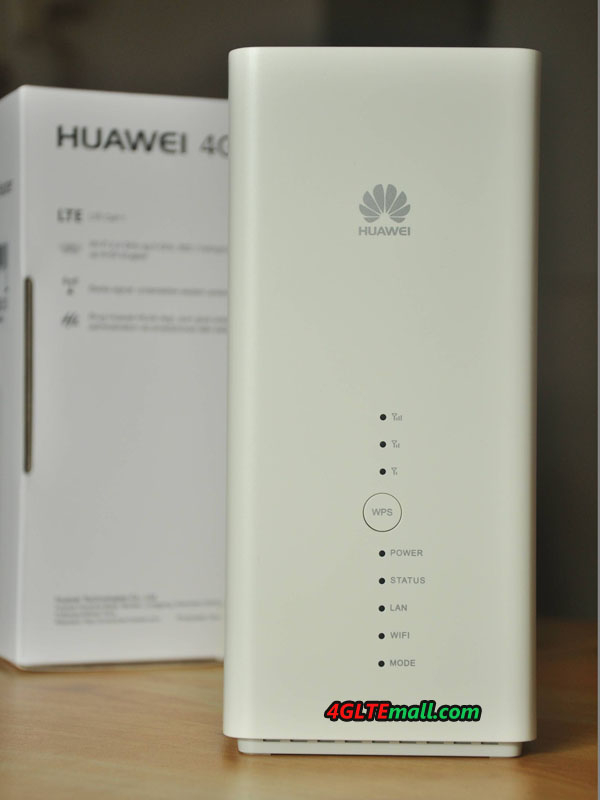
The Huawei B618s-22d is a fast-moving mobile 4G router that creates a stable internet connection in every location. The device supports dual-band WiFi and connects to 64 devices at a time. This Huawei 4G router is also equipped with 2 Gigabit LAN ports.


Huawei B618 B618s-22d 4G Router


Huawei B618s-22d Features  


* 4G LTE speeds up to 600 Mbps

* WiFi for 64 devices at a time

* Wireless-AC WiFi speeds up to 1300 Mbps

* 2 LAN ports (including 1 WAN / LAN)

* 1 RJ11 port for phone, printer or fax

* 1 Micro SIM card slot (Dual-Free)

* 2 External Aerial Ports (TS-9)

* 1 USB 2.0 Port

* Huawei HiLink App

* Weight: 700 grams


Huawei B618 B618s-22d front logo and indicators


Fast 4G Router


The Huawei B618s-22d creates a fast 4G internet connection at any location. The device operates with a 4G LTE SIM card from any carrier and provides a wireless network at a speed of up to 582 Mbps. Up to 64 devices can connect to this router at the same time. If the signal is not strong enough, you may want to connect an external antenna. The huawei B618 CPE could also be used as a fixed WiFi router.


Huawei B618 B618s-22d USB LAN WAN Telephone ports


The Huawei B618s-22d has two Gigabit LAN ports, one of which also acts as a Gigabit WAN port. For example, you can use the router as a regular Wi-Fi router with wired internet. The Huawei B618s-22d supports dual-band wireless-AC (2.4 and 5GHz) with WiFi speeds up to 1300Mbps. The LAN ports can also be used to connect wired devices to the network, such as a fixed computer.


Huawei B618 B618s-22d bottom label


Telephone connection


The Huawei Huawei B618s-22d has a telephone port that allows users to connect a fixed analog phone, printer or fax. When connected to 3G, 4G or WiFi, you can call VoIP without any problems. This can be done with your analog or VoIP device, depending on your carrier. If you are connected to 2G, VoIP is not possible.


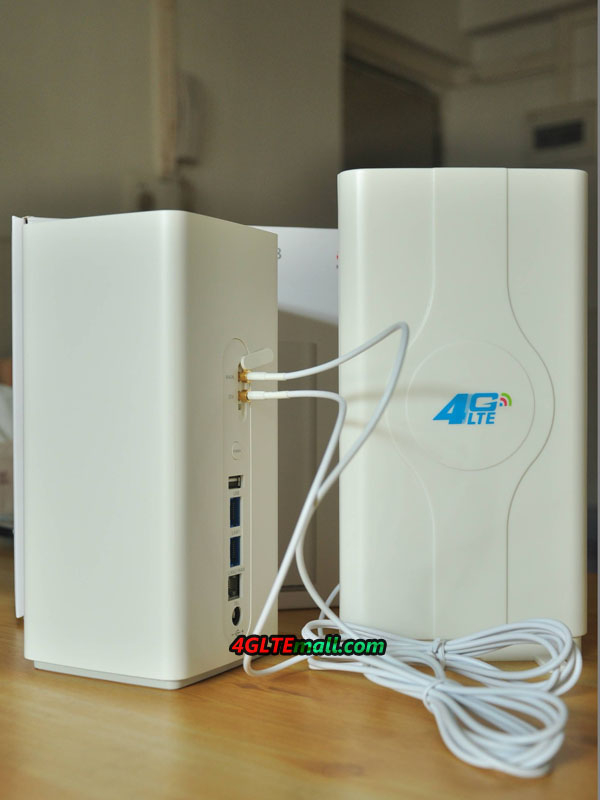
Huawei B618 B618s-22d connecting external antenna


Huawei HiLink app


With the free Huawei HiLink app (available for iOS and Android), it's very easy to connect to the Huawei B618s-22d; Scan the QR code and you're done. Also, the router is easy to manage through the app. For example, remotely enable or disable Wi-Fi, check battery level and signal strength, read messages and find all connected equipment  


Package Contents

  • Huawei B618s-22d
  • Power adapter
  • Network cable
  • Instruction manual


With the Huawei B618s-22d 4G+ router, you provide perfect network coverage for home in the outlying area or temporary locations such as a high-speed building kit. Thanks to 4G+, the maximum download speed via the mobile network is 600 Mbps. More than enough to download large building drawings or, for example, stream 4K movies. You connect to 64 wireless devices at the same time wkth this router. Would you rather use a fixed connection if it is available? Then connect the router to a network cable using your carrier's modem and use the device as a regular router. Via the USB port, you connect an external hard disk to share documents and media files with your entire network. In all, the Huawei B618 4G Router is a wonderful router with powerful functions. And it’s recommend if you need a home router for fast speed surfing!

2017年12月6日 星期三

3.5GHz May Be the 5G Frequency Band

The development of the next mobile communication standard 5G is progressing. Now it becomes clear that the frequency range of around 3.5 gigahertz will be the basis for 5G mobile networks worldwide. Confirmed Eros Spadotto from Canadian provider TELUS at the Huawei Global Mobile Broadband Forum in London. Even the network outfitter Huawei pleads for this frequency range in a position paper, summarizes it at 3.3 to 4.2 GHz but something further. Frequency spectrum in the range between 3.4 GHz and 3.8 GHz will be awarded in 2018 in many European countries, including a corresponding frequency auction is planned in Germany. In Canada, according to TELUS, an auction is expected in 2019.  


5G Network Frequency: 3.5 GHz to start

The frequency range around 3.5 GHz will be available worldwide in many countries for mobile phone use. However, the area is not exactly defined yet, in most countries preparations are currently underway for the allocation of frequencies to the mobile network operators and the exact "limits" of the auctioned radio spectrum are not yet known. Huawei speaks in its position paper from the C-band, more specifically between 3.3 to 4.2 and 4.4 to 5.0 GHz. In order to expand 5G networks in a timely manner, the core range between 3.3 and 3.8 gigahertz is important, according to Huawei, and should be made available to network providers as quickly as possible.   Some carriers in Europe uses the frequency range of 3.7 GHz in its 5G test network in Berlin, where it reaches speeds of 2 GBit/s, and the range is around 400 meters. The network provider expects the launch of the first 5G networks in exactly this frequency range, more specifically between 3.5 GHz and 3.9 GHz .


5G: more frequency ranges later

Although the range around 3.5 GHz will probably be used in many countries worldwide as a "base band" for 5G: significantly more radio spectrum is needed to achieve the need for bandwidth on the one hand and very good network coverage on the other. Huawei proposes three different "layers" in its position paper: the 3.5 GHz band should be sufficient as a "coverage and capacity layer" for most applications. On the other hand, very high speeds will demand significantly more radio spectrum, which will then be made available in the "Super Data Laye " - probably in the cmWave range around 28 gigahertz. Bruno Jacobfeuerborn, head of technology at Germany Telekom, assumes that at the start of 5G in the year 2020, this "super data layer" is not available, but only later expanded.  


The third very important part in the 5G frequency spectrum is the so-called "Coverage Layer". So the area with which a huge network coverage can be achieved. It does not depend on extremely high data rates, but on the fact that a basic supply of 5G can be made available almost everywhere. Huawei proposes in its position paper for the "Coverage Layer" the frequency range below 2 GHz, which is currently used by GSM, UMTS and LTE. It is conceivable, therefore, that the network operators integrated the existing LTE networks into their 5G networks, making LTE an integral part of 5G. According to Eros Spadotto, the Canadian provider TELUS assumes that the frequency range around 600 MHz will be used in North America for the "Coverage Layer" of 5G. In Europe, the area around 700 MHz is more likely to be used for this purpose.

2017年12月3日 星期日

Huawei B529s-23a HomeNet Box Test

In mid September, T-Mobile unveiled its new LTE home internet service. The internet service comes with a new upgraded offer. With the new offer, the network has introduced a new "fixed" router Huawei B529s-23a Cube(T-mobile named it HomeNet Box), and we are now focusing on this device.
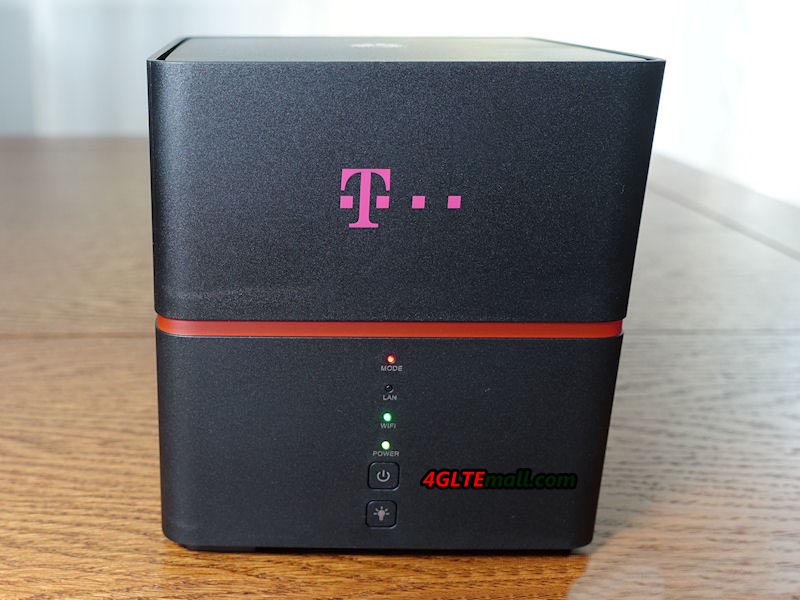


The Huawei B529s-23a is a new LTE router that is exclusively available on T-Mobile networks. The router is easy to use and does not require any additional installation. The user will get it with a SIM card inserted without a PIN code and the whole thing will be ready to use when you return home. Let's start with Huawei B529s-23a router specification:

  • Dimensions: 120 × 120 × 127 mm, weight: 672g
  • Frequency bands EDGE/GPRS/GSM: 2/3/5/8 (1900/1800/850/900 MHz)
  • 3G / HSPA / DC-HSPA+ frequency bands: 1/8 (2100/900 MHz)
  • LTE frequency bands: 1/3/7/8/20/32/38 (FDD: 2100/1800/2600/900/800/1500 MHz, TDD: 2600 MHz)
  • Speeds: DC-HSPA+: 42 / 5.76 Mbps, LTE cat.6: 300/50 Mbps
  • WLAN: 802.11a/b/g/n/ac (Dual Band 2.4/5 GHz)
  • External Antenna Connections: Two TS-9 ports
  • LAN / WAN connection (RJ45)
  • Slot for microSIM card
  • Built-in lithium-ion battery: 3000 mAh
  • Dedicated power supply: DC 12V / 2A
  • Support: DHCP Server, DNS RELAY and NAT, along with security services
  • The router supports up to 64 devices


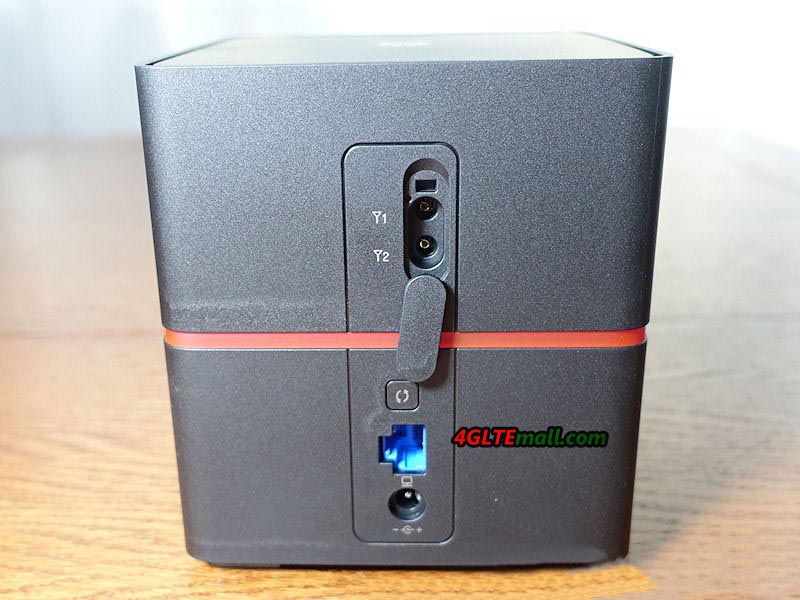
The appearance of the Huawei B529s-23a router is pleasing to the eye. Cube-shaped body with rounded edges, made of black plastic with a matte surface. It looks like the predecessor router Huawei E5170 LTE Cube. The accent is horizontal, through the middle of the belt in magenta. As it turns out, it is a glowing item, but luckily the backlight can be turned off with a button. In addition to the button mentioned above, the front panel and the four status LEDs, mode, LAN, Wi-Fi, power, are also included on the front panel. On the rear panel is a power connector, LAN/WAN port, antenna connectors, and WPS button (for automatically configuring Wi-Fi connections). The bottom of the "box" is the SIM card connector and the reset button. In addition, there is a label with predefined Wi-Fi network names and passwords.
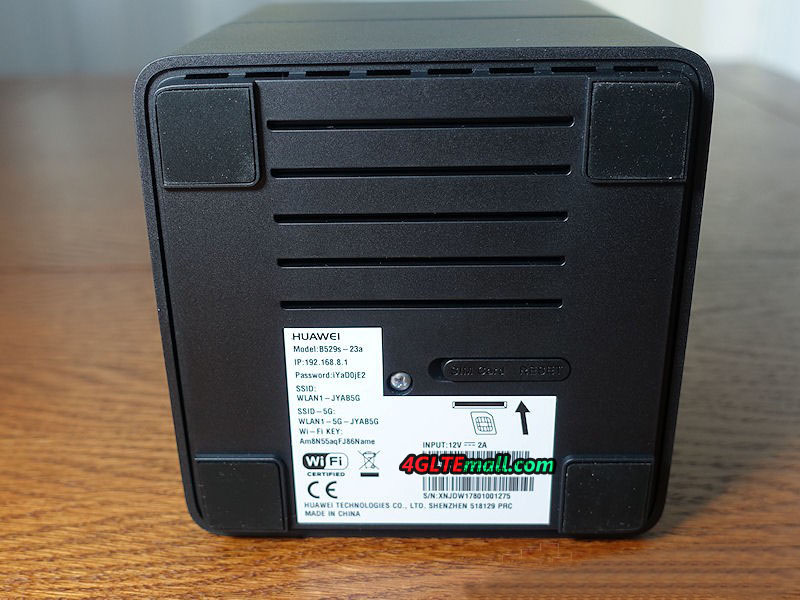


As I mentioned, after being removed from the cardboard, the HomeNet Box B529 should be ready for operation. All accustomed to chargers with microUSB connector may be surprised, because there is a power adapter with a different connector, giving the output of 12V and 2A. It was probably easier and cheaper, especially since it was rather stationary. But as if you were going to take him away from home, it's the first of the popular chargers you will not use.
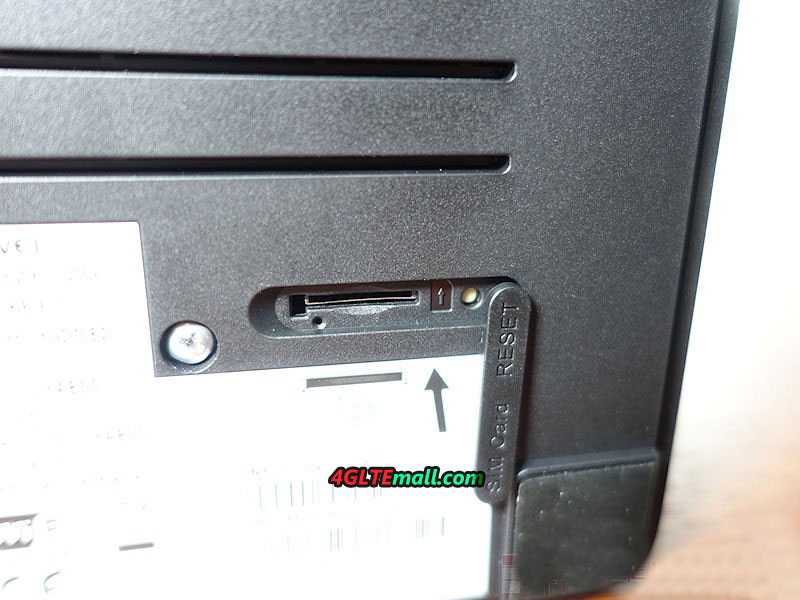


When connected to the power and start up, the user can use the provided password to connect to the wireless network and use the Internet. There will be two networks: one in the 2.4 GHz band and the other in the 5 GHz band. The name scheme is: WLAN1-JYABAG WLAN1-5G-JYABAG And that "-5G-" means a 5 GHz band, which is currently less used and less disturbed. Therefore, it is worth choosing.  


We join and enjoy the benefits of the Internet and for many users it is enough to get the best possible coverage of a fast LTE network. In addition, the router provides the possibility to connect two external antennas. If you use the Huawei B529 Router at the location with weak signal, you can use LTE external antenna to get better surfing experience.
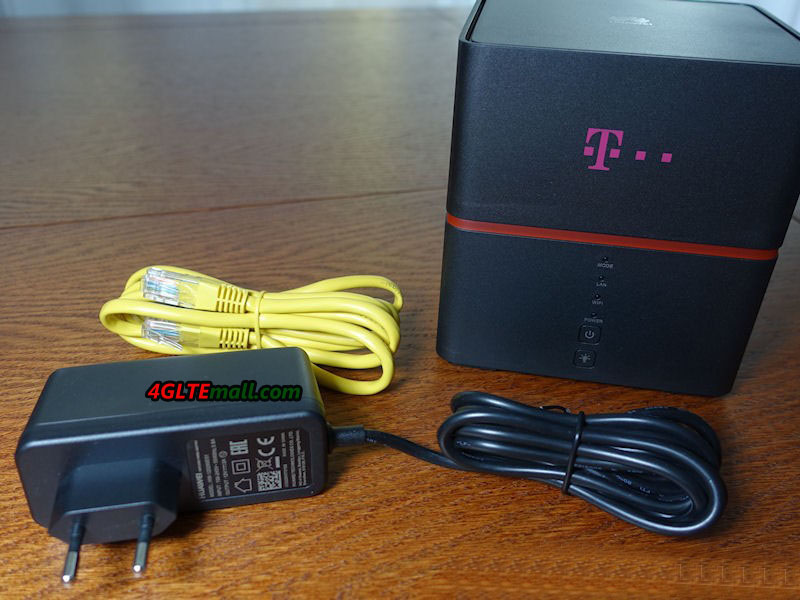


The Huawei B529s-23a is a device that offers far more capabilities than simple LTE modems. The first function is that the RJ45 port can works in both LAN and WAN mode, which means users can connect an Ethernet cable to the router and get wireless network from network provider. There is one SIM card slot in the Huawei B529s-23 router, user can insert a valid SIM card with data plan into the router and get wireless internet from the mobile network carriers. The two connection option makes users choose the data plan which suit best.  


What’s more, the built-in battery with a capacity of 3000 mAh can provides about 1 hour of working time. This is not too much, but it is a protection against momentary power shortages and is a continuation of our backup communications. And user can take it outdoor and keep it working on the go.   User can connect to the Huawei B529 router via the Huawei HiLink application, which gives you access to basic information. After logging in, you can check your connection status, the number of transferred data in the set billing period, and the connected devices. What is important for many people is to read and send text messages. You can also change settings for operator selection and preferred network type, eg "4G only".  


However, access to the settings will only be possible after you log in to the administration panel. To get there, connect to a web browser with 192.168.8.1. To log in, users nee to use the standard login and password: admin / admin (we recommend to change immediately). When logged in to the panel, you will see basic connection information and device status. The next three menu items, Statistics, SMS and Update are also in the application. On the Settings tab, the most important options are grouped into eight items in the side menu. I will discuss them briefly in turn.  


Quick Setup


Allows you to change the wireless network ID and password and to enable automatic updating of the device.  


Connection settings


In this menu, you can set new APN access point profiles (default is already defined), select cellular mode (auto, only 2G, 3G only, LTE only) or network search mode (automatic / manual). We will also be able to disable data transfer or enable roaming data. However, there is no separate option for domestic roaming.  


Ethernet


This is a menu in which, apart from the connection status, the RJ45 network interface mode can be set. Here we will determine whether the port works as a LAN or WAN, with additional parameters. In addition, there is also a MAC clone option - the hardware address of the network adapter.    


VPN  


VPN is a private network based on public links. Properly configured ensures confidentiality and communication security. Options built into the router allow you to establish a connection using the L2TP protocol. This menu will be used by more advanced users.  


WLAN

Unlike the previous position, this should be used by almost every user. Wireless networks can operate both in the 2.4 GHz and 5 GHz bands, and for each band you can select the channel and bandwidth (defaults to automatic mode). Interestingly, for each band you can run two SSIDs, which gives you four visible networks. However, we will not find any additional options for separating users connecting to the router. Additional options are available for MAC address filtering and WPS settings to help you connect new devices to your wireless network. How do networks work in practice? Very good. The received network signal is stronger than the one that is offered by me, eg Horizon router from UPC. It is also slightly better compared to my second Asus RT-N16 router, which the manufacturer has armed with 3 external antennas.  


DHCP  


DHCP is a protocol for assigning network settings (including IP address) to the device connected to the router.  


Security

It’s extremely powerful option that allows you to make changes to the default firewall settings. You can also block and filter devices, filter domains, and run port forwarding. DDNS (Dynamic Domain Name) is also available, but profiles are available for only three defined service providers. Interestingly, this group also includes the option to enable or disable the PIN code on the SIM card.    

System  

In this position you can check the status of the device, perform network diagnostics, change system settings and password, or restore factory settings. At this point you will need to make changes when you connect the external antenna to the router.    


Summary


The Huawei B529s-23a router proved to be very solid and well equipped gateway for home users. Good performance, connectivity, good hardware and a decent enough (for such hardware) software functionality is the most important of its advantages. And the stability and strength of the wireless network proves to be good. The built-in rechargeable battery make the device can also be used as a mobile WiFi router.
Huawei B715 LTE Cat.9 WiFi Router Released

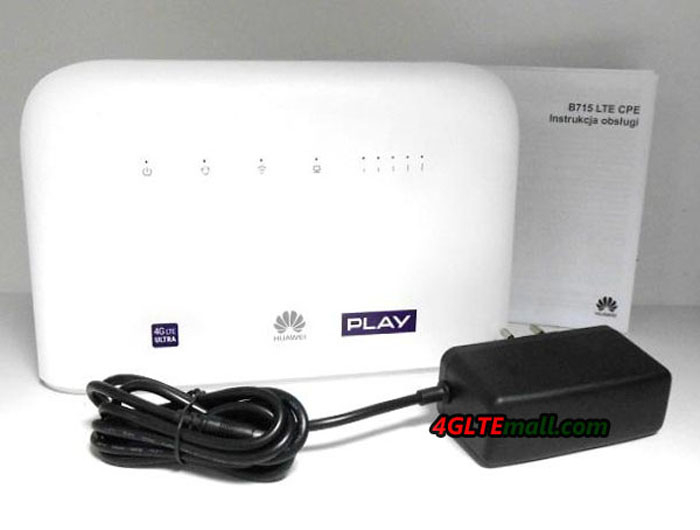
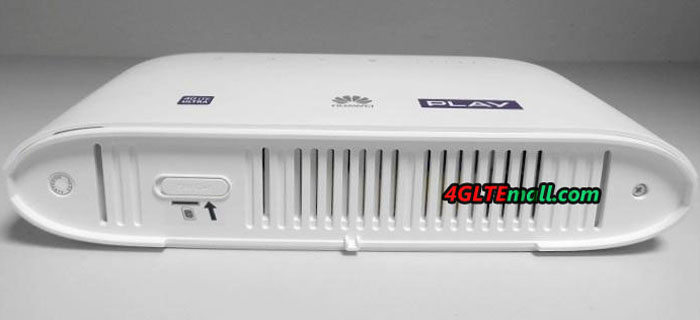
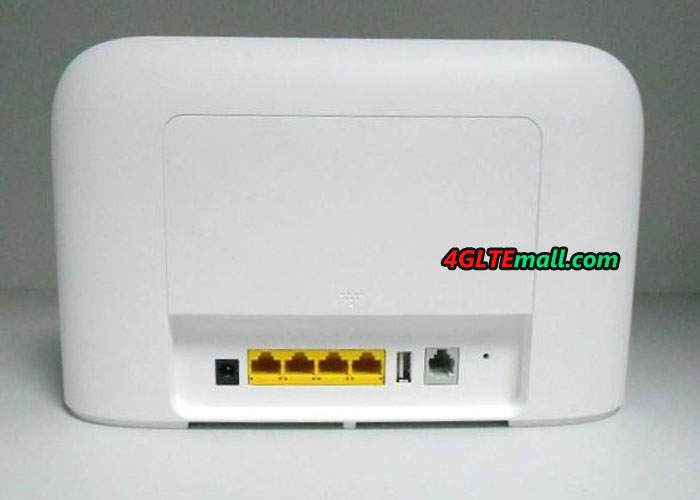
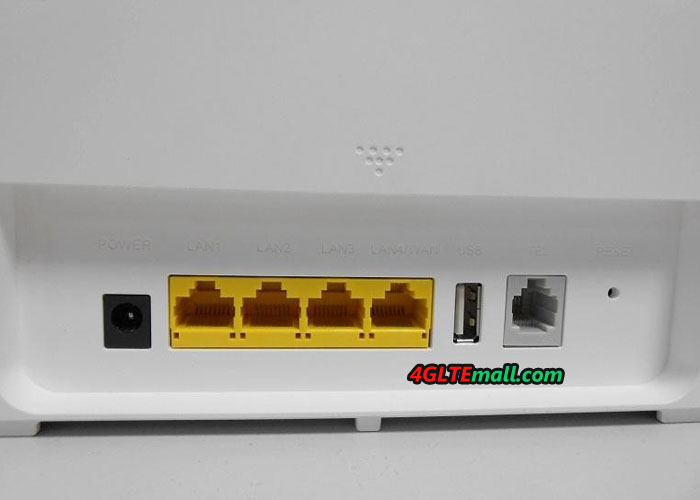
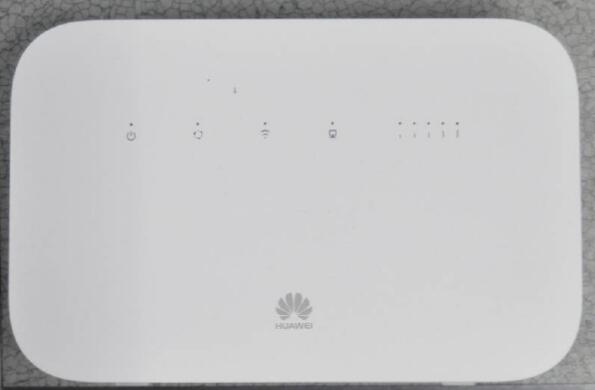
As a direct successor to the popular LTE Router Huawei E5186, Huawei presents a new LTE router B715 in Poland for the network provider “Play”. As a new LTE advanced router, the Huawei B715 reaches LTE category 9 with up to 450 Mbit/s in the downlink, which is a great improvement than the predecessor Huawei E5186 router. The B715 router has four RJ45 Gigabit LAN interfaces and a USB port, as well as an integrated telephone function with RJ11 connection. And we also see it’s available in Latvia for network carrier LMT with branded version.

Huawei B715 B715c-23c


Huawei B715s-23c


The Huawei B715 is currently only available in Europe. The exact model name for the new Huawei LTE Cat9 router is B715s-23c. This designation recognizes the modem optimized for the European market; in other parts of the world, the B715 CPE may have a slightly different designation and thus different equipment with support of different frequency bands. Since the frequency ranges used in Europe are mostly same, as well as in Austria and Switzerland, the B715s-23c can also be used without problems in other Europe countries.


Huawei B715 B715c-23c


Huawei B715: 4.5G LTE Advanced Technology


The Huawei B715 has integrated LTE antennas, but also has two SMA connectors on the back for an external LTE antenna, which can be connected when needed. The LTE modem can connect up to three frequency ranges by means of carrier aggregation (channel bundling), which theoretically allows up to 450 Mbit/s in the downlink. In the uplink, up to 50 Mbps are possible via LTE. In addition to LTE, UMTS (3G) and GSM (2G) are also supported.


Huawei B715 B715c-23c


The RJ11 connector on the back panel of the Huawei B715 can be used to connect an analogue telephone, as well as a USB port for integrating a printer or storage media into the network. Wired devices can be connected via the four LAN ports. If required, one of the four LAN ports also acts as a WAN port, so the B715 can also be used with an external modem (eg fiber optic or cable modem). Wireless devices can connect to the Huawei B715s-23c via Wi-Fi, the router supports the frequency ranges around 2.4 GHz and 5 GHz.


Huawei B715 B715c-23c


Huawei B715 and B618 in comparison


Attentive readers may already have noticed, with up to 450 Mbps, the new B715 LTE router is not the fastest router model in the Huawei product range. The Huawei B618 even offers up to 600 Mbps via LTE Cat11. The Huawei B618 also has the 4 × 4 MIMO antenna technology installed, the B715 can seem only on 2 × 2 MIMO antenna technology fall back. Nevertheless, the Huawei B715 also has advantages over the B618: there are four RJ45 Gigabit LAN ports and not like the B618 with only 2 TS-9 connectors, the B715 has the SMA ports for external antenna, which is common on Huawei LTE stationary routers. If you need the external antenna for Huawei B715 Router, we would like to recommend below the two antennas. We had tested the antennas and they can work well with Huawei B715 LTE Router: http://www.4gltemall.com/4g-antenna-two-sma-connector.html


4G LTE Indoor Antenna (2 x SMA Connectors) for Huawei/ZTE 4G LTE Routers/Gateway/LTE CPE


If you prefer 4G outdoor antenna to get better signal, you could try below the antenna: http://www.4gltemall.com/4g-lte-outdoor-antenna-2-x-sma-connectors.html


4G LTE Outdoor Antenna (2 x SMA Connectors) for Huawei/ZTE 4G LTE Routers/Gateway/LTE CPE


We would take full detail test for the new Huawei B715s-23c router, and compare it with the more advanced Huawei B618. Keep follow on us(twitter: 4GLTEMALL) and we will update our test report once it’s done.


Huawei B715 B715c-23c